Skip to content
Spelling Better

Spelling Better for Schools

Build a School That Loves Words.

A spelling and vocabulary learning platform for modern schools.

Bring interactive word games, spelling competitions and continuous English practice into your school. Help teachers create more engaging lessons while giving students opportunities to learn, practise and compete beyond the classroom.

Free teacher resources · School plans from $149 a year · Premium free for every student until 31 December 2026

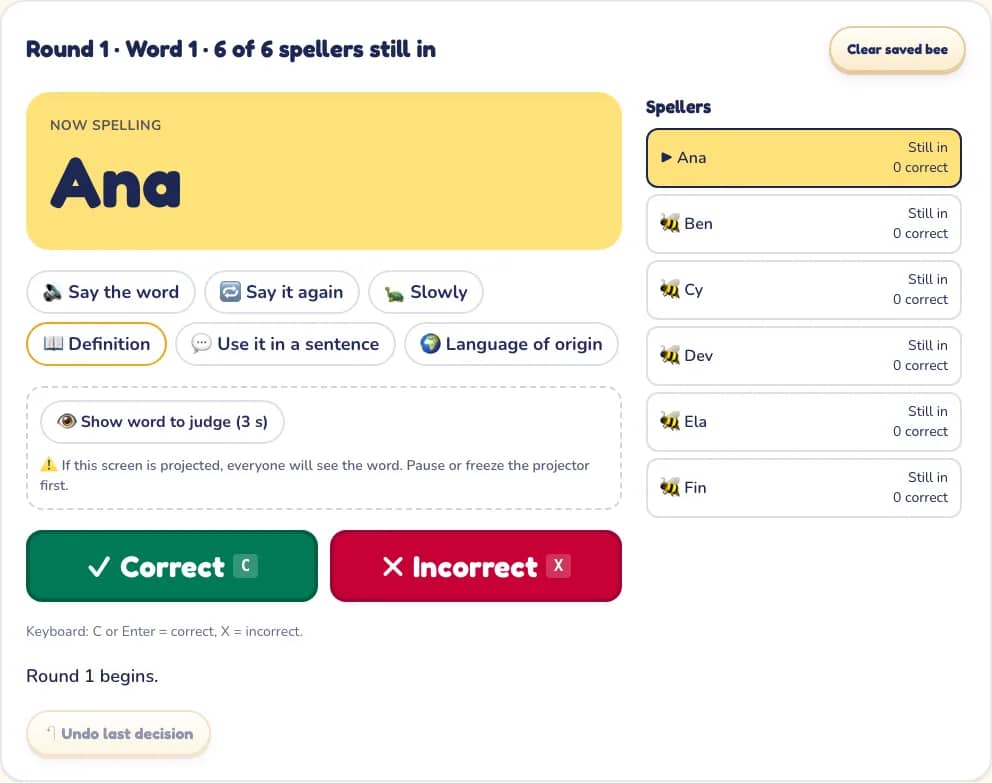
The free Spelling Bee Host on a classroom screen: the current speller, Say the word, Definition and sentence buttons, and Correct or Incorrect
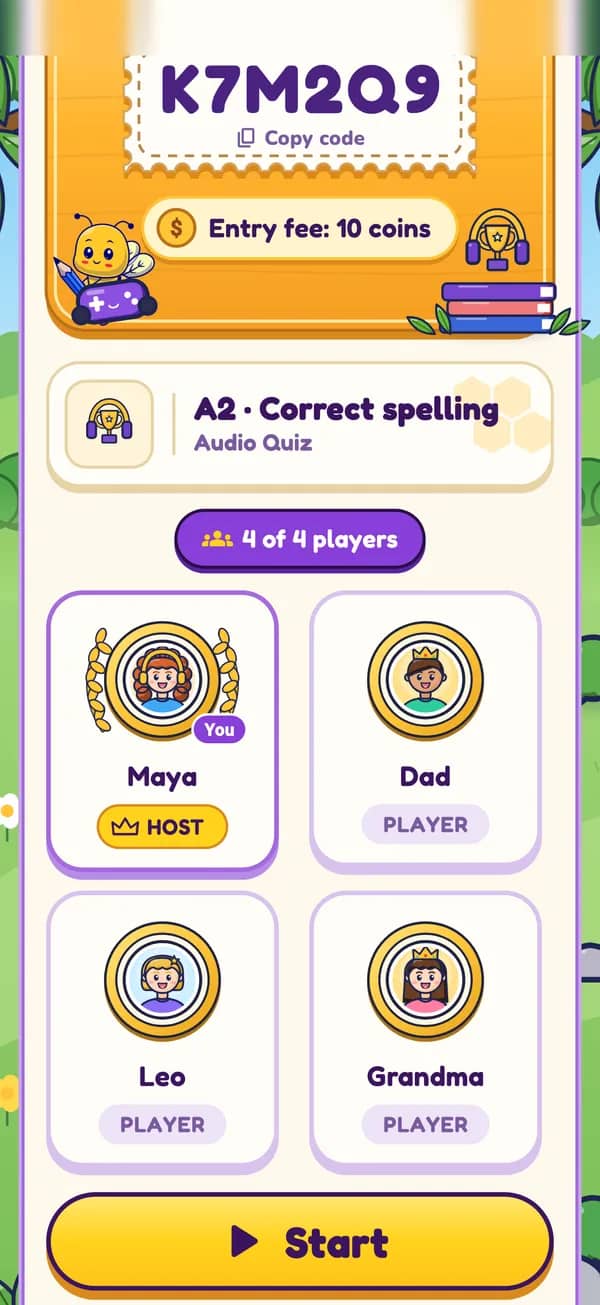
An Audio Quiz group room lobby in the Spelling Better app with four players and the Start button (sample data)
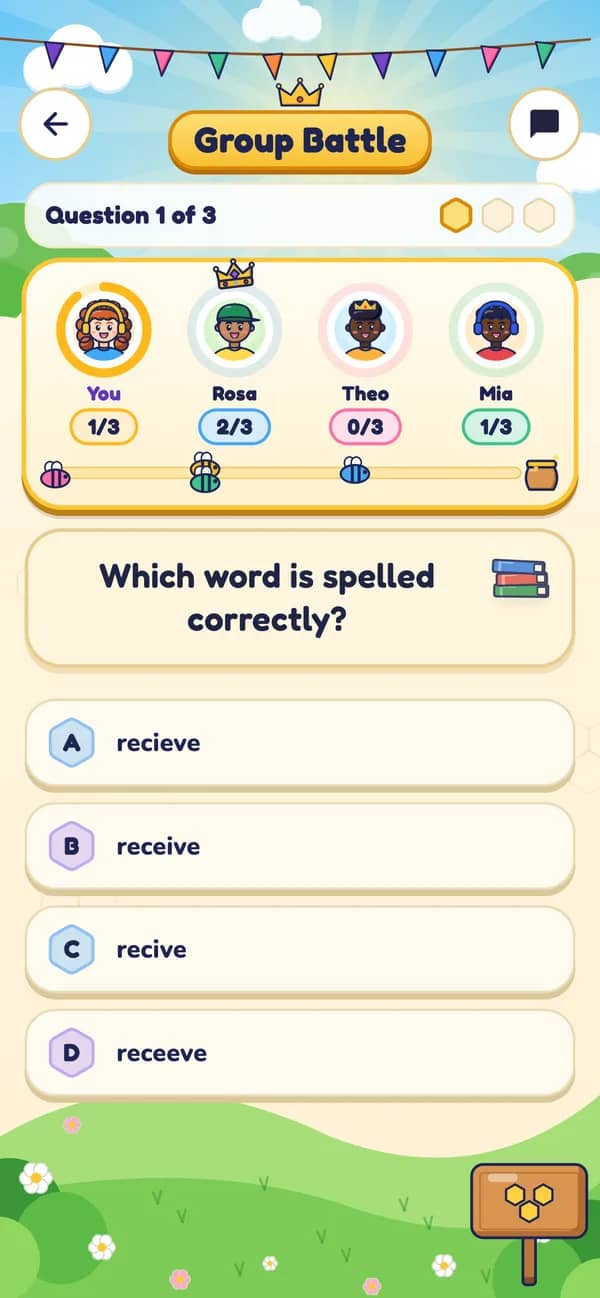
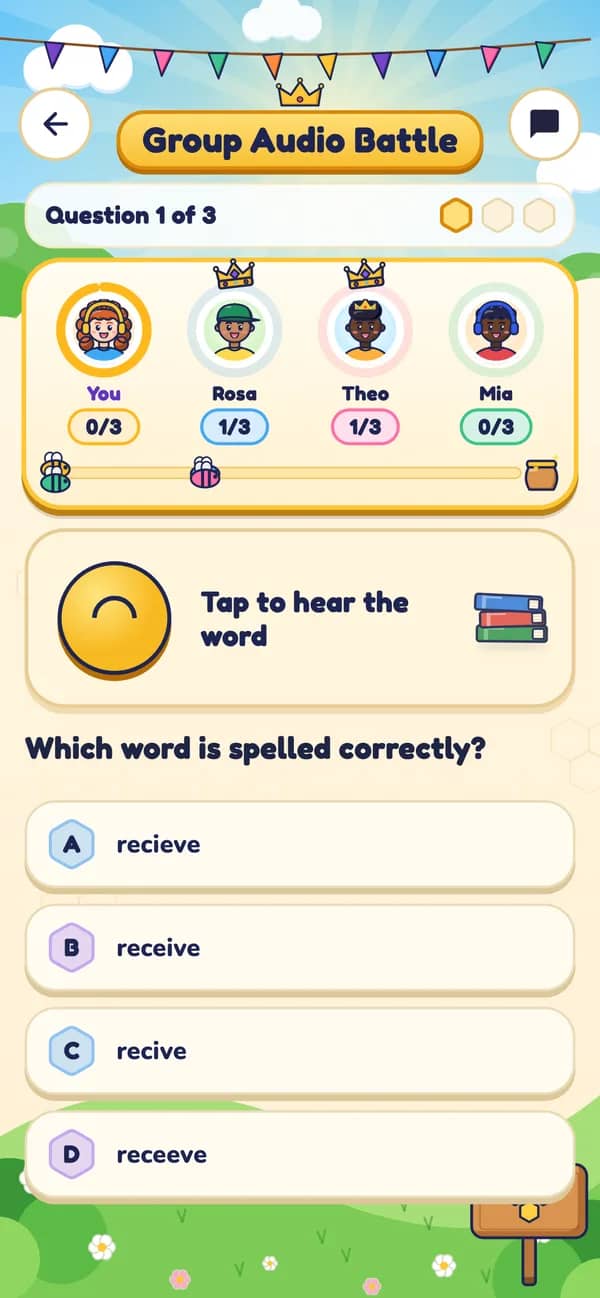
A Group Battle question in the app with four players' scores (sample data)
The free Spelling Bee Host for the whole class; live rooms in the app for small groups. App screens show sample players.
downloads on Google Play
10,000+
downloads on Google Play
players in each live app room
2–4
players in each live app room
Audio Quiz levels to start each group at
A1–C2
Audio Quiz levels to start each group at
free grade pages, preschool to grade 12
14
free grade pages, preschool to grade 12
free teacher tools on the website
22
free teacher tools on the website
iPhone, iPad, Android phones and tablets
iOS & Android
iPhone, iPad, Android phones and tablets
The opportunity

English Learning Shouldn’t End When the Bell Rings.

Teachers already do the most important work. Spelling Better adds tools around it: games that make practice something students choose, resources that save preparation time, and practice that carries on at home.

It complements your English programme rather than replacing it, and it is built for the teacher who runs the lesson.

  • Consistent practiceSpelling and vocabulary need little and often, which is hard to fit into a full timetable.
  • EngagementLists and drills work best when students want to come back to them.
  • Independent practiceStudents need something worthwhile to do on their own, at their own level.
  • Different needsOne class can span several reading and spelling levels, including English learners.
  • Beyond the bellMeaningful activities after school and at home, without more marking.
  • Enjoyable competitionsSpelling bees and word challenges take time to organise well.
One platform, four learning environments

From the lesson to the living room

How schools use Spelling Better in class, after school, for competitions and with families.

In the classroom

Turn Lessons Into Interactive Learning Experiences.

Run a spoken spelling bee for the whole class from one screen with the free Spelling Bee Host, or split students into small groups for live rooms in the app. Classroom word games, worksheets and lesson plans are ready on the website.

  • Whole class: the free browser Spelling Bee Host
  • Small groups of 2–4: live rooms in the app
  • Ready-made classroom games with full rules
How to host a classroom game →
The free Spelling Bee Host on a classroom screen: the current speller, Say the word, Definition and sentence buttons, and Correct or Incorrect
Beyond the classroom

Keep Learning Going After School.

Students practise on their own phone or tablet at a level that suits them: the Spelling Bee Simulator, Audio Quiz listening practice, flashcards and word games. Teachers can add printable homework and five-day practice plans from the website.

  • Spelling bee practice with meanings and sentences
  • Listen-and-spell Audio Quiz by level
  • Flashcards and word games
Homework and daily practice plans →
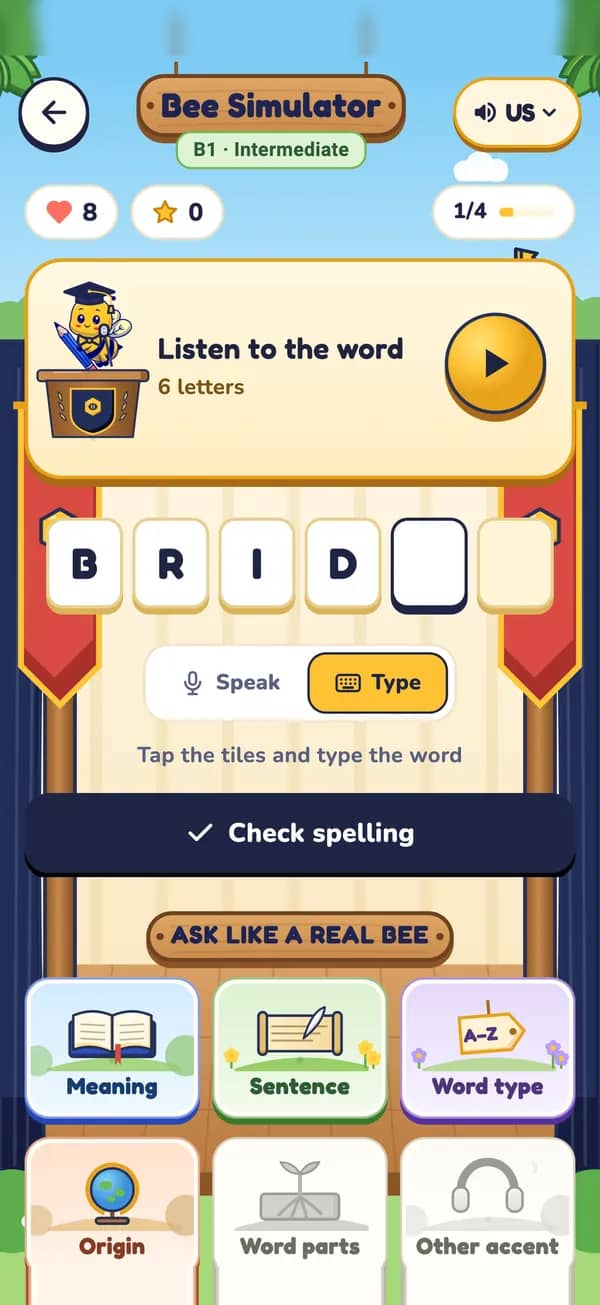
The Spelling Bee Simulator in the Spelling Better app while a student types a word

App screen with sample data

School competitions

Create a Culture of Friendly Competition.

Schools organise their own class, grade and school spelling bees with the free Host and printable rules, score sheets and certificates. The app adds friendly live matches for small groups. The app does not run school-wide leaderboards or tournaments for you.

  • Teacher-organised bees with free tools and printables
  • Live small-group matches in the app
  • A complete school spelling bee guide
Organise a school spelling bee →
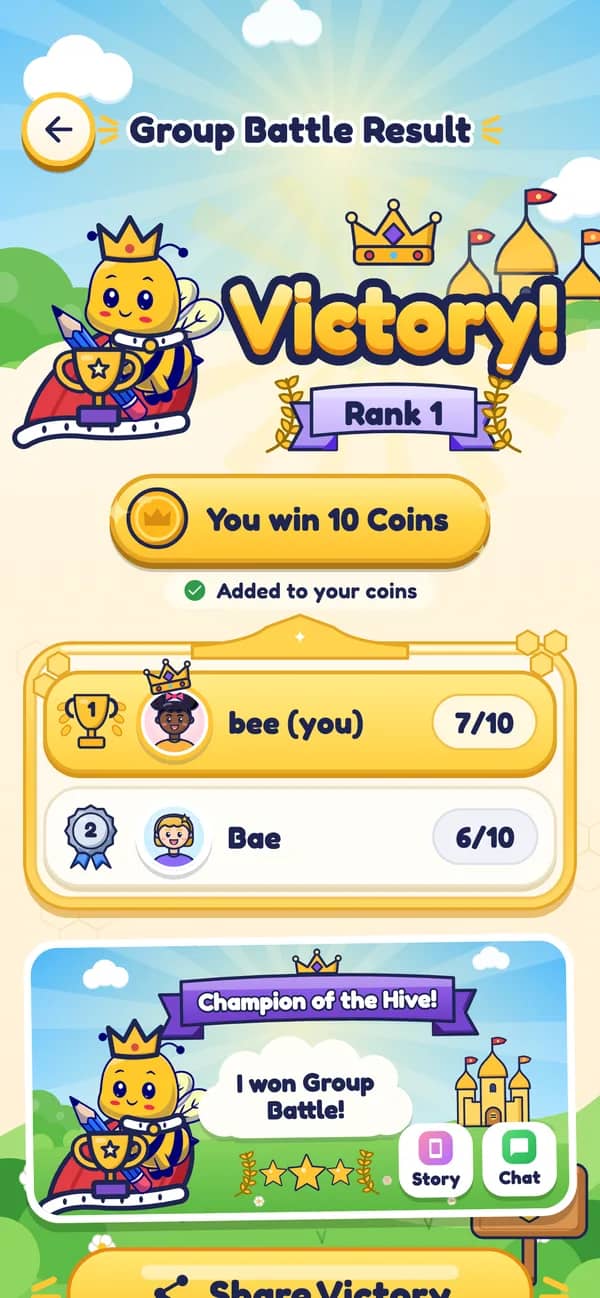
Group Battle Result in the Spelling Better app: rank, coins won and standings out of 10

App screen with sample data

At home with families

Bring Families Into the Learning Experience.

Families can play together in an Audio Quiz room: a parent creates a room, shares the 6-digit code, and up to four players join on their own devices with their own accounts. There is no parent dashboard; families simply play and practise together.

  • Family rooms of up to four players
  • Each player on their own device and account
  • Free word games on the website too
Free spelling games →
An Audio Quiz room lobby with four family players and the Start button

App screen with sample data

Live classroom word games

Turn Your Classroom Into a Live Word Game Arena.

Small groups play live rooms in the app: up to 4 players per room including the host, each on their own device with their own account, joined with a 6-digit code. Rooms use in-app coins. For the whole class at once, the free Spelling Bee Host runs a spoken bee from one screen.

What each Spelling Better game is for
GameTypeWherePlayersWhat happens
Group BattleLive multiplayerApp2–4 playersA live 10-question quiz room on a chosen category, joined with a 6-digit code.
Audio Quiz rooms (Play with Friends)Live multiplayerApp2–4 playersEveryone hears the same words and chooses the correct spelling; the host picks a level from A1 to C2.
1v1 BattleLive multiplayerApp2 playersHead-to-head quiz with a friend (room) or a random opponent.
Spelling Bee HostTeacher-led, whole classWebsite2–60 spellers, one screenA spoken spelling bee for the whole class: the device says each word and tracks who is still in. Free.
Classroom word gamesTeacher-led, whole classWebsiteAny class sizeRelays, team bees, word ladders and more, with full rules and printables.
Spelling Bee SimulatorIndependent learningAppSoloHear the word read aloud, then spell it letter by letter, as on a spelling bee stage.
Audio QuizIndependent learningAppSoloListen to a word as often as needed and choose the correct spelling, by level.
Flash CardsIndependent learningAppSoloReview words and meanings until they stick.
PangramIndependent learningApp and websiteSoloMake words from seven letters and find the word that uses them all.
Guess the WordIndependent learningAppSoloRead the clue, work out the word and spell it.
Hive Conquest · Secret Word Duel · Honey Ladder (app)Coming soonApp—New word games being prepared for the app. Not yet available to schools.

How a teacher hosts an Audio Quiz room

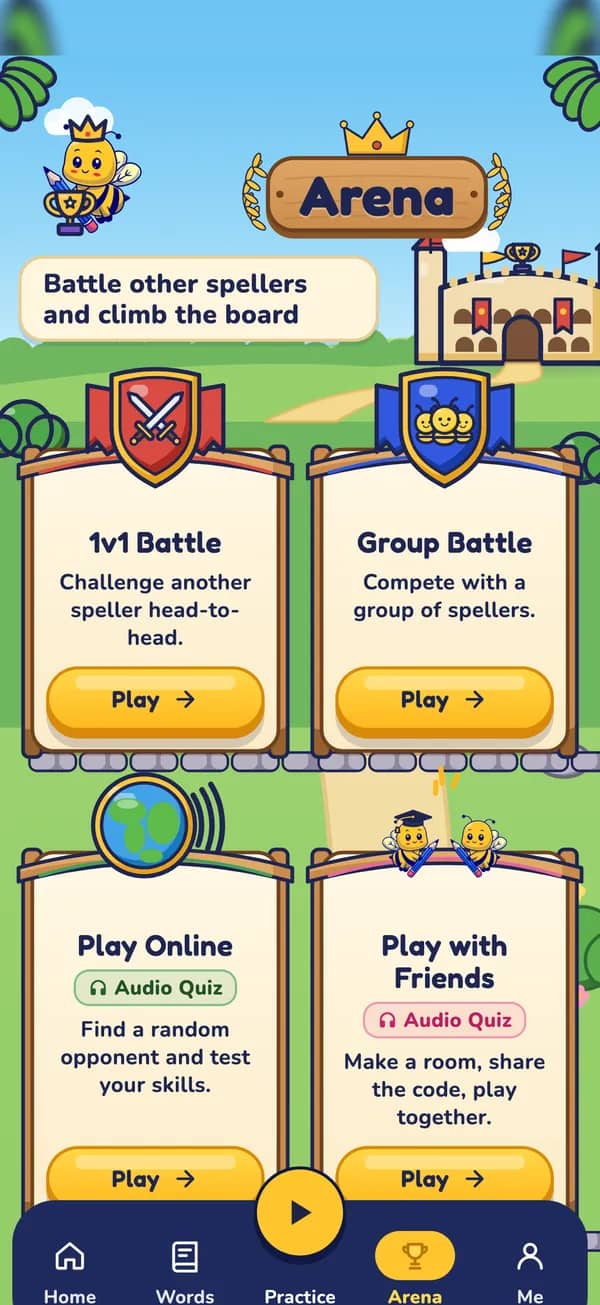
  • The Arena tab in the Spelling Better app with 1v1 Battle, Group Battle, Play Online and Play with Friends

    Arena: Group Battle and Play with Friends start group rooms.

  • An Audio Quiz room lobby: the room code, entry fee, topic A2 · Correct spelling, four players and the Start button

    A room lobby: share the code, wait for players, then Start. Real codes are digits.

  • An Audio Quiz group question: tap to hear the word, then choose the correct spelling

    Audio rooms: players hear the word, then choose the spelling.

  • Group Battle Result: rank, coins won and the standings with correct answers out of 10

    The result screen ranks players by correct answers.

  1. 1

    Open Play with Friends

    Tap Arena at the bottom, then Play with Friends.

  2. 2

    Create the room

    Tap Create Room. Under Quiz topic, choose a level and a skill, or Mix it up; choose the Entry coins; tap Create Room.

  3. 3

    Share the code

    Copy the code, share it from the phone, or write it on the board.

  4. 4

    Start

    When at least one other player has joined, the host taps Start.

  5. 5

    Results and review

    The result screen ranks players. Note scores yourself if you want a class record, then go over the words people missed.

Students join with Arena → Play with Friends → Join Room and the code. Results show on each player’s screen and are not saved, and there is no teacher dashboard. App screens show sample data. Random online matches can pair a player with a computer opponent, so for class use we recommend rooms with known classmates.

Learning resources for every grade

From First Words to Advanced Vocabulary.

Free grade pages from preschool to grade 12: weekly word lists, classroom games, worksheets, lesson plans and a suggested live-game session for each age.

What students work on

  • Letter recognition
  • First sounds and picture words
  • Simple word building

Free resources by grade

Word lists, classroom games, worksheets, lesson plans and a live-game plan on every grade page. A suggested progression, not a formal curriculum.

See all grades, preschool to grade 12
A complete toolkit for English teachers

Give Your Teachers More Than Just Another App.

Every school gets the same free website toolkit we offer every teacher: worksheet generators with answer keys, a read-aloud spelling test generator, lesson plans and classroom games. No accounts, nothing to install, printable on A4 or US Letter.

  1. 1

    Prepare a lesson

    Pick a topic and words; the lesson pack builder makes the plan.

    Open →
  2. 2

    Create a worksheet

    Matching, missing letters or a word search, with an answer key.

    Open →
  3. 3

    Host a classroom game

    A whole-class bee in the browser, or small-group rooms in the app.

    Open →
  4. 4

    Assign independent practice

    Homework sheets and practice in the app.

    Open →
  5. 5

    Review learning

    A read-aloud spelling test or an exit ticket.

    Open →
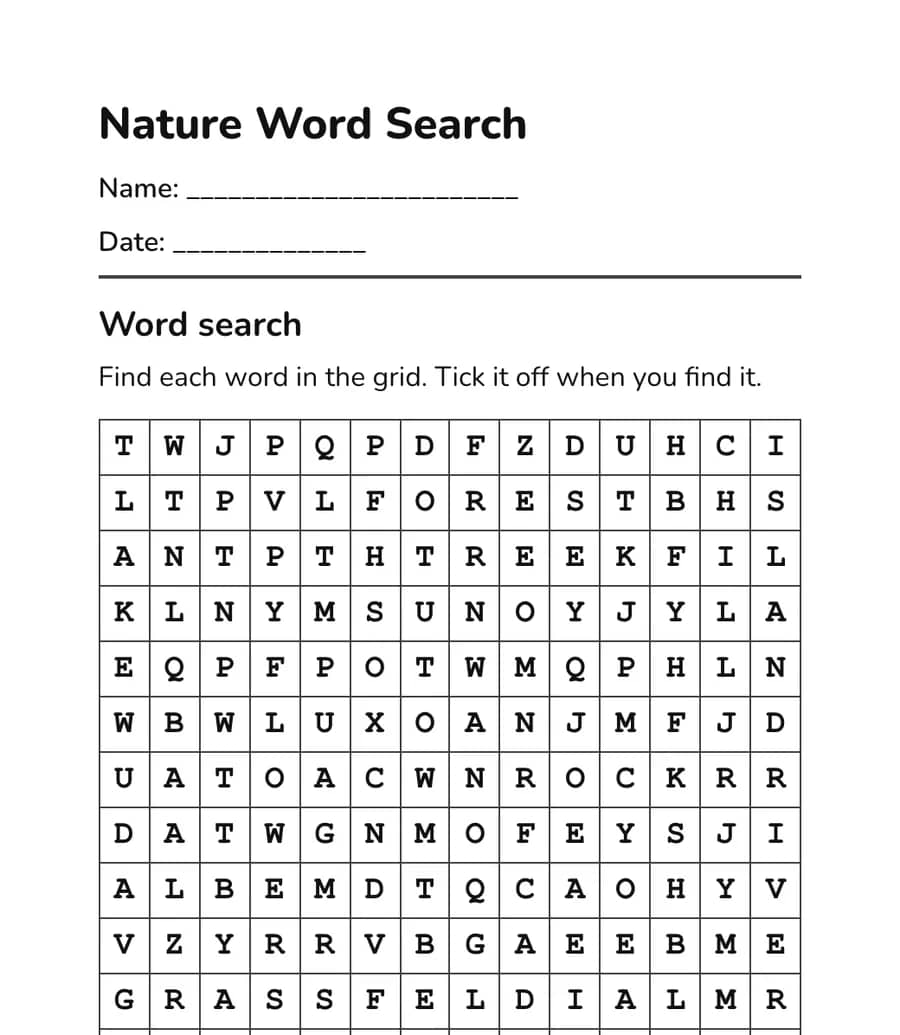
A word search worksheet made with the free Word Search Maker, with its tick-off word list
A real worksheet from the free Word Search Maker
Explore Free Teacher Resources
A week of learning

Make English Practice Part of Every School Day.

A suggested teaching rhythm, not an automated schedule. Every grade page has its own five-day plan with a printable checklist.

  1. Monday

    Introduce new vocabulary

    Share the week's words with meanings and examples.

  2. Tuesday

    Spelling exercises and worksheets

    A short worksheet or look, cover, write, check.

  3. Wednesday

    A live classroom word game

    A Spelling Bee Host round or small-group rooms.

  4. Thursday

    Independent vocabulary practice

    Practice in the app or a take-home puzzle.

  5. Friday

    Spelling challenge and review

    A read-aloud test, then revisit the hardest words.

See a sample weekly plan (grade 3) with a printable checklist →
School spelling bee competitions

Celebrate Achievement Through the Power of Words.

Schools can run class, grade and school spelling bees today with the free Spelling Bee Host, printable rules, score sheets and certificates. Events between schools are what comes next.

  1. 1
    Available today

    Classroom challenges

    Weekly class bees and word games with the free Host and printables.

  2. 2
    Available today

    Grade-level competitions

    Teachers run grade finals with the same tools, score sheets and certificates.

  3. 3
    Available today

    School spelling bees

    A full planning guide, rules, judging sheets and an event schedule.

  4. 4
    Planned

    Inter-school events

    Events between partner schools are being planned; none is running yet.

  5. 5
    Vision

    National and international competitions

    A long-term ambition, not an operating league.

Benefits for the whole school community

Built for the people who make a school work

Intended benefits and supported uses. We do not claim measured learning gains for Spelling Better; short, regular practice with feedback is widely recommended in teaching research, and that is what the tools support.

For school leaders

  • Complements your existing English programme
  • Adds structured word-learning activities
  • Affordable annual access for whole groups
  • Encourages school-wide participation in enrichment

For teachers

  • Free worksheets, games and lesson plans
  • Engaging activities ready in minutes
  • Live games for groups, a spoken bee for the whole class
  • Practice outside lessons without extra marking

For students

  • Practice at a suitable level
  • New words with meanings and examples
  • Friendly competitions with classmates
  • Short, regular practice habits
School plans

Quality English Learning. Affordable at School Scale.

Flexible annual school licensing designed to make spelling and vocabulary learning accessible to more students. Prices in US dollars, per year.

Good to know: until 31 December 2026, every student can use all premium features of the app free. Ask us how a school plan works alongside this.

School Starter

School Plan 50

50
seats

$149 / year

Up to 50 students · $2.98 per student when fully used

Smaller schools, a single department or a first pilot.

  • Full app access for each student seat
  • Daily quizzes, interactive word games and spelling bee practice modes
  • Free website teacher tools and printables for your staff
  • Annual licence (12 months)
  • Email onboarding support
Request School Plan 50

School Growth

School Plan 100

100
seats

$209 / year

Up to 100 students · $2.09 per student when fully used

A grade level or several classes.

  • Full app access for each student seat
  • Daily quizzes, interactive word games and spelling bee practice modes
  • Free website teacher tools and printables for your staff
  • Annual licence (12 months)
  • Priority support and partnership setup
Request School Plan 100

School Wide

School Plan 250

250
seats

$449 / year

Up to 250 students · $1.80 per student when fully used

Larger, school-wide implementations.

  • Full app access for each student seat
  • Daily quizzes, interactive word games and spelling bee practice modes
  • Free website teacher tools and printables for your staff
  • Annual licence (12 months)
  • Enhanced partner-school value
Request School Plan 250

Individual: the published individual rate is $9.99 per student per year, for families buying for one learner.

More than 250 students? Tell us about your institution and we will reply with options. Talk to Our Team

Find the right plan

students

Count the students who will use the app. Teachers use the website tools for free and do not need a seat.

Recommended plan

School Growth (School Plan 100)

Annual price
$209
Seats in the plan
100
Per enrolled student (80)
$2.61 / year
Per seat, if all 100 are used
$2.09 / year
Monthly equivalent
$17.42 a month (for comparison only; billed annually)

At the published individual rate of $9.99 per student per year, 80 students would come to $799.20, $590.20 more than this plan.

Ask about School Plan 100
School onboarding

Getting Your School Started Is Simple.

Everything happens by email with our team; there are no fixed timelines to keep up with.

  1. 1

    Tell us about your school

    Send the enquiry form below: your school, roles, approximate student numbers and goals.

  2. 2

    Talk through your goals

    We reply by email to understand your classes, levels and what you want to achieve.

  3. 3

    Choose a plan

    We confirm the plan that fits your student numbers, or a custom quote for larger groups.

  4. 4

    Receive onboarding instructions

    We send instructions for setting up student access and getting started.

  5. 5

    Introduce Spelling Better

    Share the free teacher resources with staff and the joining guide with students.

  6. 6

    Start learning

    Begin with classroom games and add independent practice at home.

School partnership

More Than a Subscription. A Learning Partnership.

Become part of our growing school partnership initiative. We are building a network of schools that share spelling and vocabulary activities, run spelling bee programmes and, in time, take part in events together.

Become a Partner School
Institutional licensing
Available
Annual plans for 50, 100 or 250 students, or a conversation about larger groups.
Ongoing English learning activities
Available
Free classroom games, worksheets and grade-by-grade resources for your teachers.
School spelling bee programmes
Available
Guides, printables and the free Spelling Bee Host for class to school bees.
Collaborative learning initiatives
By arrangement
Ideas we develop with partner schools, discussed one school at a time.
Knowledge Partner recognition
Planned
Recognition for partner schools as the programme grows.
Inter-school competitions
Planned
Events between partner schools are being planned; none is running yet.
Talk to our team

Request a demo or a school plan

Tell us about your school and what you would like to achieve. We reply by email to arrange a demonstration, answer questions or confirm a plan.

Prefer email? Write to support@spellingbetter.com.

Download the schools brochure (PDF)

For students and families

Download on the App StoreGet it on Google Play
Grade levels (optional)
What would you like to discuss? * (choose at least one)

Please do not include any student names or personal details. Fields marked * are required.

FAQ

Questions schools ask

What is Spelling Better for Schools?

An annual school licence for the Spelling Better app, together with our free website resources for teachers: worksheet tools, classroom games, grade-by-grade word lists, lesson plans and a free spelling bee host.

Which grade levels can use Spelling Better?

The website has resources from preschool to grade 12. The app itself has levels rather than grades (Audio Quiz levels run from A1 to C2), so teachers choose a starting level for each group. It works best from about age 6, when children start reading and spelling.

Can teachers host live spelling games?

Yes. In the app, a teacher or student creates a Group Battle or Audio Quiz room for 2–4 players (including the host), and others join with a 6-digit code on their own devices. For a whole class at once, use the free Spelling Bee Host in a browser on the classroom screen.

Can schools organise spelling bee competitions?

Yes. Our free school spelling bee guide, printable rules, score and judging sheets, certificates and the browser Spelling Bee Host cover class, grade and school bees. Inter-school events are planned but not yet running.

How do students access the application?

Students install Spelling Better from the App Store or Google Play and sign in with their own account (email, Google, phone, or Apple on iPhone and iPad). For a school licence, we send instructions for giving your students access.

What devices are supported?

iPhone, iPad and Android phones and tablets. The website tools work on any computer, tablet or interactive whiteboard with a modern browser.

Can students practise at home?

Yes. Students practise in the app on their own device, and teachers can send printable homework and five-day practice plans from the website.

Are worksheets and teacher resources free?

Yes. All website tools, worksheets, lesson plans, games and printables are free to use and print, with no sign-up, whether or not your school has a licence.

How does school licensing work?

School plans are annual licences for a number of student seats: 50 students $149, 100 students $209, 250 students $449 per year. Send an enquiry and we confirm the plan, the licence period and how access is set up.

Can English language institutes use Spelling Better?

Yes. Language institutes, ESL and EFL academies and after-school centres can use the same plans and the free resources; Audio Quiz levels A1 to C2 help match groups to a starting level.

Does the platform support British and American English?

The website tools offer American and British voices and British spelling for built-in word sets. In the app, battles use American recordings.

Can teachers monitor student progress?

Not yet. There is no teacher dashboard or class report: results of live games show on each player's screen and are not saved. Teachers can record scores with our printable progress record.

Can schools create custom word lists?

On the website, yes: every worksheet tool, the spelling test generator and the Spelling Bee Host take your own words. The app uses its own word lists and cannot load a school's list.

Is onboarding support available?

Yes, by email. The published plans include email onboarding support (School Plan 50) and priority support and partnership setup (School Plan 100).

Are larger institutional plans available?

For more than 250 students, send an enquiry with your numbers and we will reply with options.

How can a school request a demonstration?

Use the enquiry form and choose “Product demonstration”. We reply by email to arrange a time.

How is student information handled?

Students create their own app accounts. Our website tools keep word lists and names in the browser. The enquiry form asks only for adult contact details; please do not include student information. See our privacy policy.

Let’s Build a Better English Learning Experience for Your School.

Bring teachers, students and families together through spelling, vocabulary and interactive word learning.