
Interactive Group Spelling Games for Your Classroom
Small groups can play live in the Spelling Better app: rooms of up to four players joined with a 6-digit code. For the whole class at once, use team games on one screen. Here is exactly how both work.
Group games in the app
These are the group modes available in the Spelling Better app today. Each player uses their own phone or tablet.
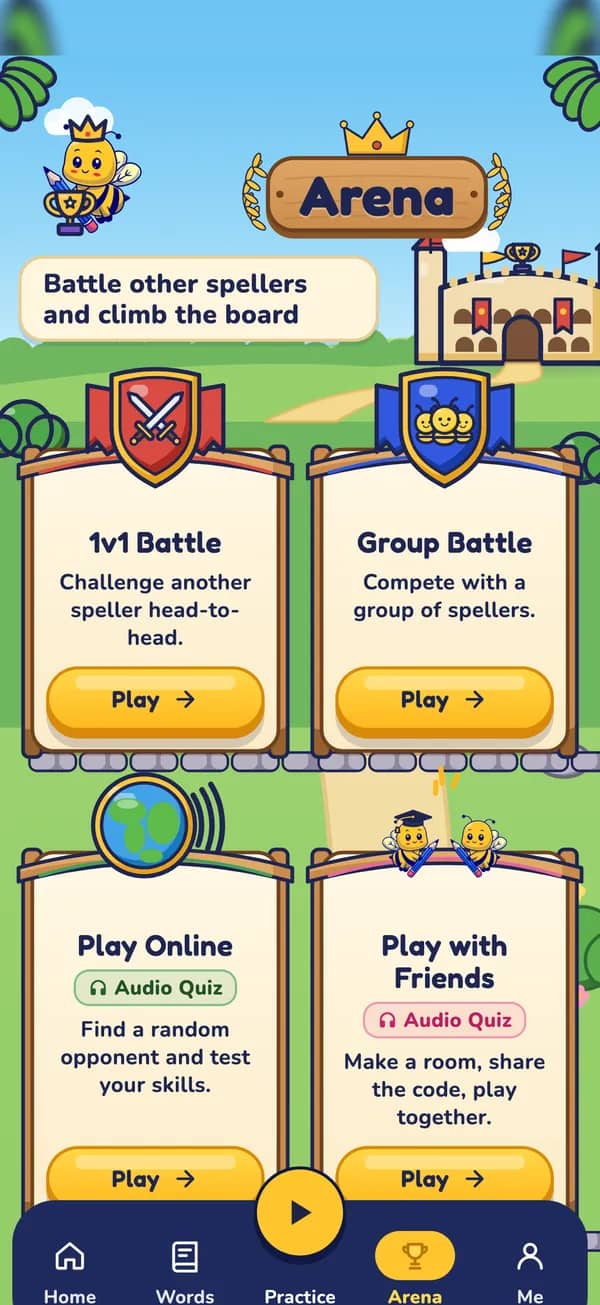
Group Battle
Live group room · appA live quiz room: the host picks a category, shares a 6-digit code, and up to four players answer the same 10 questions.
- Players
- 2–4 players, each on their own phone or tablet
- Practises
- Quick recall and friendly competition in small groups.
- In class
- Station rotation: groups of 3–4 students, one student hosts each room.
- Time
- About 5–6 min per game
- Ages
- 8+ (every player needs a Spelling Better account)
Screenshot with sample players.
How to host a Group Battle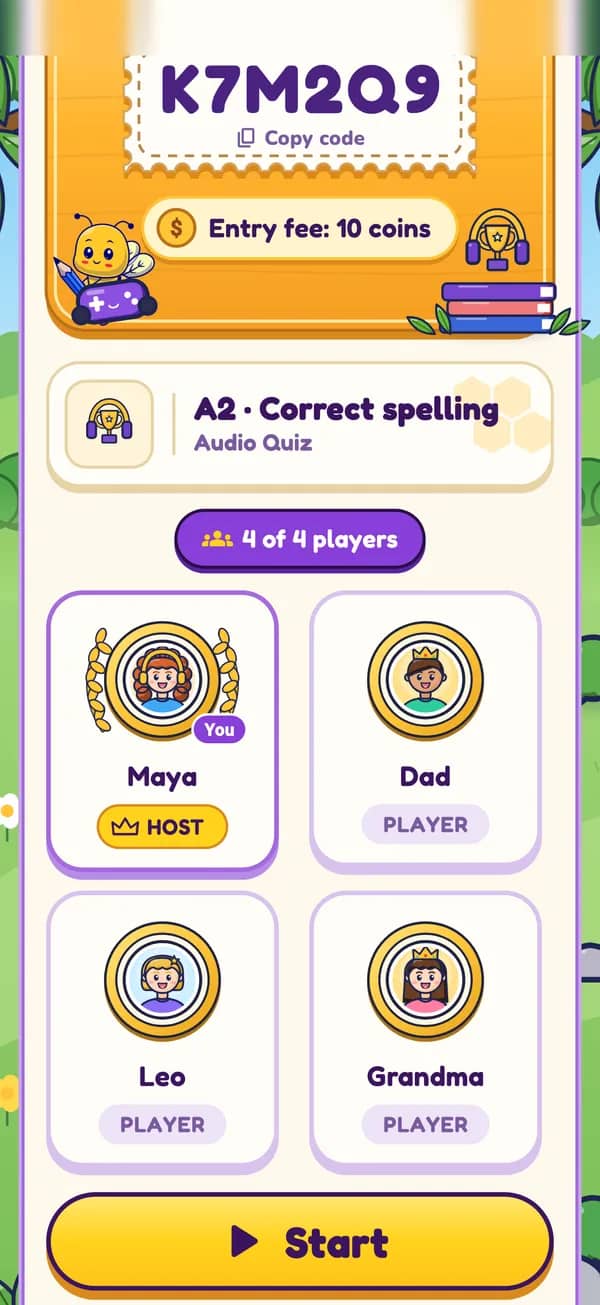
Audio Quiz · Play with Friends
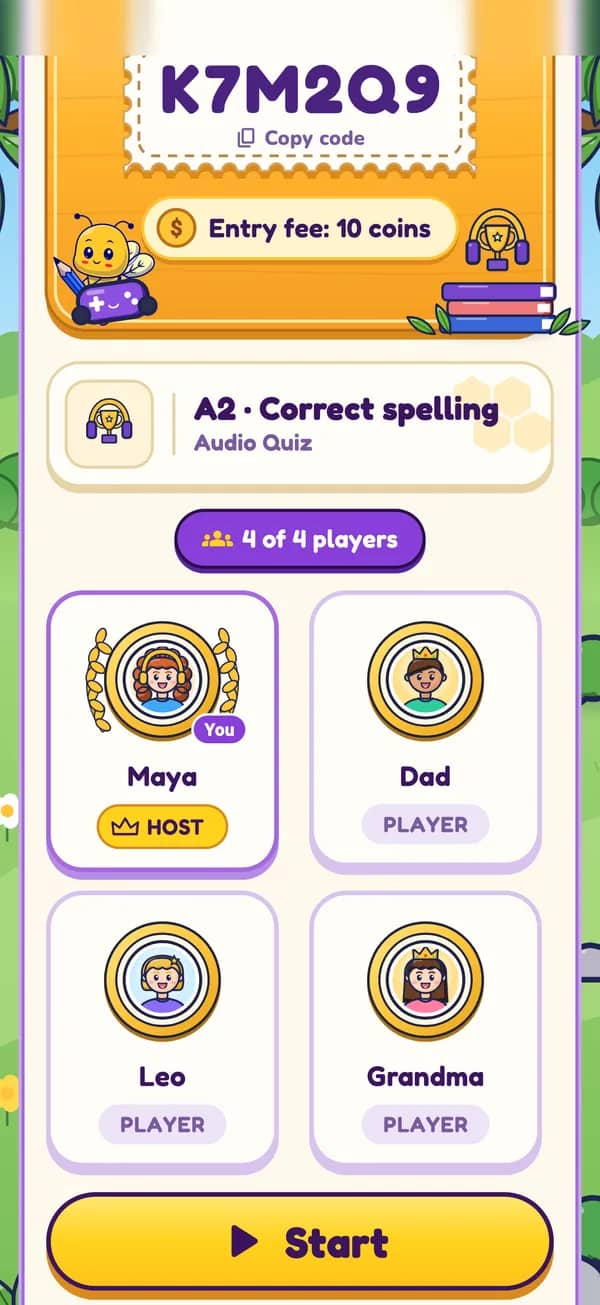
Live group room · appA live listening room: hear each word and choose the correct spelling. The host picks a CEFR level and skill.
- Players
- 2–4 players, each on their own phone or tablet
- Practises
- Listening to a spoken word and recognising its correct spelling.
- In class
- ESL groups at the same level; a listening station in a rotation.
- Time
- About 5–6 min per game
- Ages
- 8+ (every player needs a Spelling Better account)
Screenshot with sample players.
How to host an Audio Quiz room1v1 Battle · Play With Friend
Live 1v1 · appTwo students face the same questions in a private room joined with a code.
- Players
- 2 players
- Practises
- Head-to-head recall practice.
- In class
- Partner practice; early finishers.
- Time
- About 5 min
- Ages
- 8+ (account needed)
How to host a group game in the app
Install and sign in
Every player installs Spelling Better on an iPhone, iPad or Android device and signs in with their own account (email, Google, phone, or Apple on Apple devices).
Open the Arena
Tap Arena at the bottom of the screen. Choose Group Battle for a quiz room, or Play with Friends for an Audio Quiz room where players hear the word and pick the correct spelling.
Create the room
Tap Create Room. For a Group Battle, choose a category under Select Category; for an Audio Quiz room, choose a Quiz topic (a CEFR level and skill, or Mix it up). Then choose the entry coins.
Share the 6-digit code
The room shows a 6-digit code. Copy it, share it from the phone, or write it on the board.
Students join
Each player taps Join Room and types the code. Up to four players fit in a room, including the host.
Start and play
When at least one other player has joined, the host taps Start. Everyone answers the same 10 questions, about 30 seconds each.
See the results
The result screen ranks players by correct answers out of 10. Rooms are not saved afterwards, so note scores yourself if you want a class tally.
Give students the printable student guide to joining a group game.
Running group games with a whole class
A room holds up to 4 players, so for a full class, split students into small groups.
Station rotation (in-app)
Groups of 3–4 students each run their own room. One student in each group hosts. After each game, groups write their top score on the board and rotate to the next station.
Team spelling bee (one screen)
Split the class into teams. Use the Spelling Bee Host: it says each word and tracks results, and teams take turns spelling aloud. No student devices needed.
Team relay
Project Spell It!. One student from each team spells the word on the board; the next student takes the next word. Count correct words per team.
Pair challenge
Partners play 1v1 Battle with Play With Friend in the app, or take turns reading words to each other from a printed word list.
Which group format should I use?
| Format | Players | Devices | Accounts | Best for |
|---|---|---|---|---|
| Group Battle / Audio Quiz room (app) | 2–4 per room | One phone or tablet each | Required for every player | Stations, small groups, homework with friends |
| 1v1 Battle · Play With Friend (app) | 2 | One each | Required | Partner practice |
| Spelling Bee Host (browser) | 2–60 spellers | One teacher screen | None | Whole-class bees, online lessons by screen share |
| Projected web games | Whole class in teams | One teacher screen | None | Warm-ups, relays, team points |
Free games to project for the whole class
Honey Ladder
Board game for the class · browserChange one letter at a time to climb from one word to another. 90 puzzles at three levels.
- Players
- Any
- Practises
- Attention to every letter; vocabulary.
- In class
- Project a puzzle and solve it together, or pairs race on their own devices.
- Time
- 5–10 min
- Ages
- 7–14
Pangram puzzles
Class challenge · browserSeven letters, one centre letter: find words and the pangram that uses all seven. 60 puzzles at five levels.
- Players
- Any
- Practises
- Word building and vocabulary.
- In class
- A projected warm-up, or teams compete for points.
- Time
- 10–15 min
- Ages
- 8+
Spell It!
Timed game · browserSixty seconds: hear a word, spell it, build a streak. Words for every grade.
- Players
- Any
- Practises
- Fast spelling from hearing.
- In class
- Team relay on the board, or individual practice.
- Time
- 1–10 min
- Ages
- 6–14
Questions teachers ask
How many students can play in one room?
Up to 4 players, including the host. A room needs at least 2 to start.
Do students need an account?
Every player needs the app and a signed-in Spelling Better account (email, Google, phone, or Apple on iPhone and iPad).
Can I watch without playing?
No. The person who creates a room plays too. If you want to run the game without playing, let a student host each room, or use the Spelling Bee Host on your own screen.
Is it free?
The app is free to download. Rooms use in-app coins: the host chooses the entry coins, and the winners share them.
Can I use my own word list?
Not in the app's group rooms: they use the app's categories and levels. For your own list, use the free spelling test generator or the Spelling Bee Host in your browser.
Can students play on laptops or Chromebooks?
Group rooms are in the iPhone, iPad and Android app only. The browser tools on this site (Spelling Bee Host, spelling test, Honey Ladder, Spell It!) work on any computer.
Start a group game with your class
Install Spelling Better on your students' phones or tablets, make a room and share the code.
Spelling Better is free to download for iPhone, iPad and Android. Group rooms use in-app coins. Premium is free for everyone until 31 December 2026.
Direct store links: App Store · Google Play
