
Free English teaching tools
English Teaching Resources, Worksheet Generators and Classroom Games
Everything You Need to Make English Learning More Engaging.
Create printable worksheets, prepare English lessons, host classroom games and give students meaningful practice beyond the classroom. Discover free teaching tools designed to make everyday English learning easier.
What would you like to do today?
Create worksheets
Spelling, vocabulary and puzzle worksheets from your own words, with answer keys.
Prepare lessons
A lesson plan and every printable for one topic, ready in minutes.
Host classroom games
A spoken spelling bee on one screen, and word games for any class size.
Assign homework
Take-home sheets with a note for families, and practice students can do on their own.
After-school activities
Ready-to-run plans for English clubs, tutoring and holiday sessions.
Encourage daily learning
Five-minute routines and 7-, 14- and 30-day word challenges with checklists.
Assess and review
Spelling tests, quizzes, dictations and exit tickets, with answer keys.
Resources by grade
Word lists, games, worksheets and lesson plans from preschool to grade 12.
Browse free resources
Ready-made worksheets, score sheets, certificates and planning guides.
Featured teacher tools
Free, in your browser, with no sign-up. Start from a ready-made topic or paste your own words; every printable has an answer key.
- English Worksheet Maker
Combine several activities on one printable sheet, with an answer key.
- Spelling Worksheet Generator
Weekly spelling sheets: look-cover-write, missing letters, scrambles, mistakes.
- Vocabulary Worksheet Generator
Matching, multiple choice and fill-in-the-blanks from a topic or your list.
- Spelling Test Generator
Paste a list; the device reads each word aloud and marks the answers.
- Word Search Maker
Custom word searches with three difficulty levels and an answer key.
- Flashcard Maker
Cut-out flashcards: word on the front, meaning on the back.
- Word Scramble Generator
Unscramble-the-word sheets with hints and answers.
- English Lesson Pack Builder
A lesson plan plus every printable for one topic, from the same words.
Choose your classroom game
Every game below is available today. App group rooms are for small groups; the browser tools work for a whole class on one screen.
Whole class, in your browser (free, no accounts)
Spelling Bee Host
Whole class · in your browserRun a classic spoken spelling bee from one screen: it says each word, gives clues and tracks who is still in.
- Players
- 2–60 spellers, no student devices
- Practises
- Spelling from hearing, asking for definitions and origins, confident speaking.
- In class
- Project it for a Friday bee, a class final or a remote lesson by screen share.
- Time
- 15–45 min
- Ages
- 6–18, adults
Read-aloud spelling test
Individual or whole class · browserEach word is read aloud; type it or write it down. Grade 1–8, adult and hard lists, American or British voice.
- Players
- Any
- Practises
- Spelling from hearing.
- In class
- Project it and students write on paper, or each student practises on a device.
- Time
- 5–15 min
- Ages
- 6–18, adults
Spelling test generator
Your own word list · browserPaste this week's list: get a read-aloud test, a printable test sheet and an answer key. The list never leaves your browser.
- Players
- Any
- Practises
- Practising the exact words your class is learning.
- In class
- Weekly spelling tests; homework links for families.
- Time
- 5–15 min
- Ages
- 6–18
Small groups in the app (live rooms of 2–4)
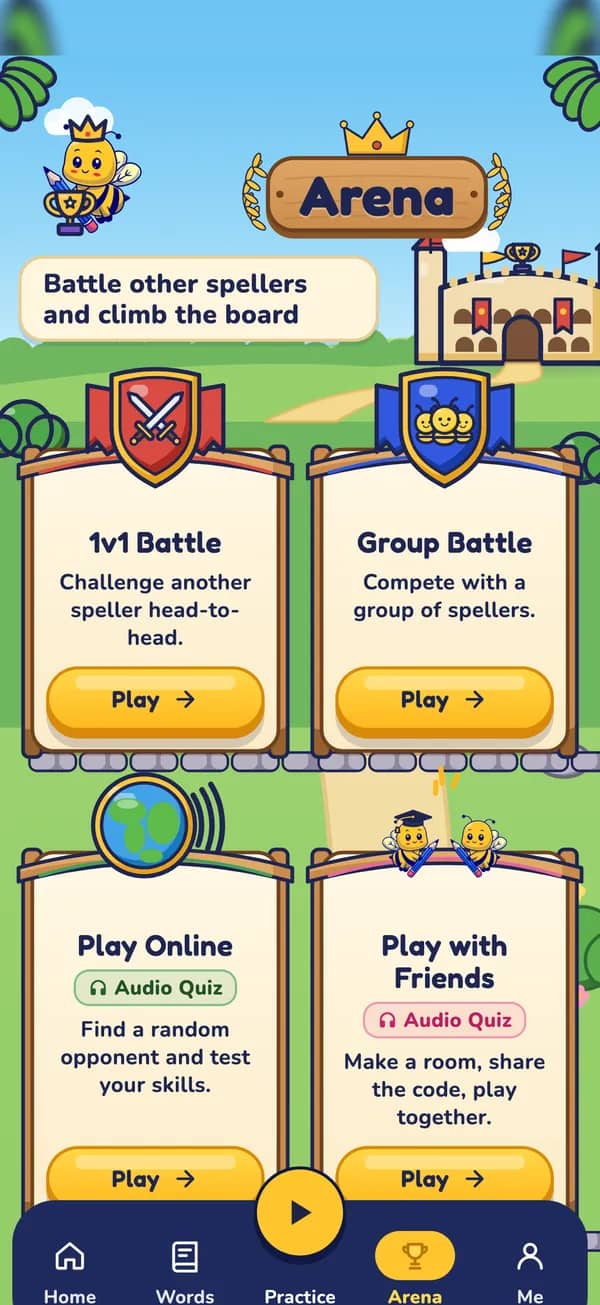
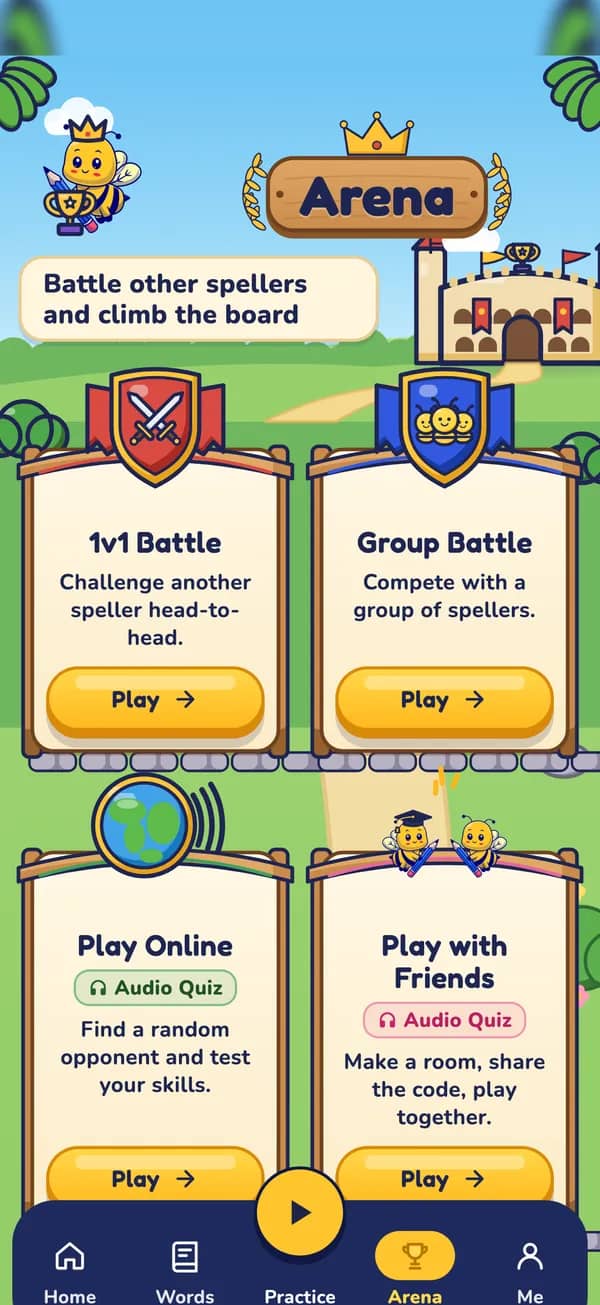
Group Battle
Live group room · appA live quiz room: the host picks a category, shares a 6-digit code, and up to four players answer the same 10 questions.
- Players
- 2–4 players, each on their own phone or tablet
- Practises
- Quick recall and friendly competition in small groups.
- In class
- Station rotation: groups of 3–4 students, one student hosts each room.
- Time
- About 5–6 min per game
- Ages
- 8+ (every player needs a Spelling Better account)
Screenshot with sample players.
How to host a Group Battle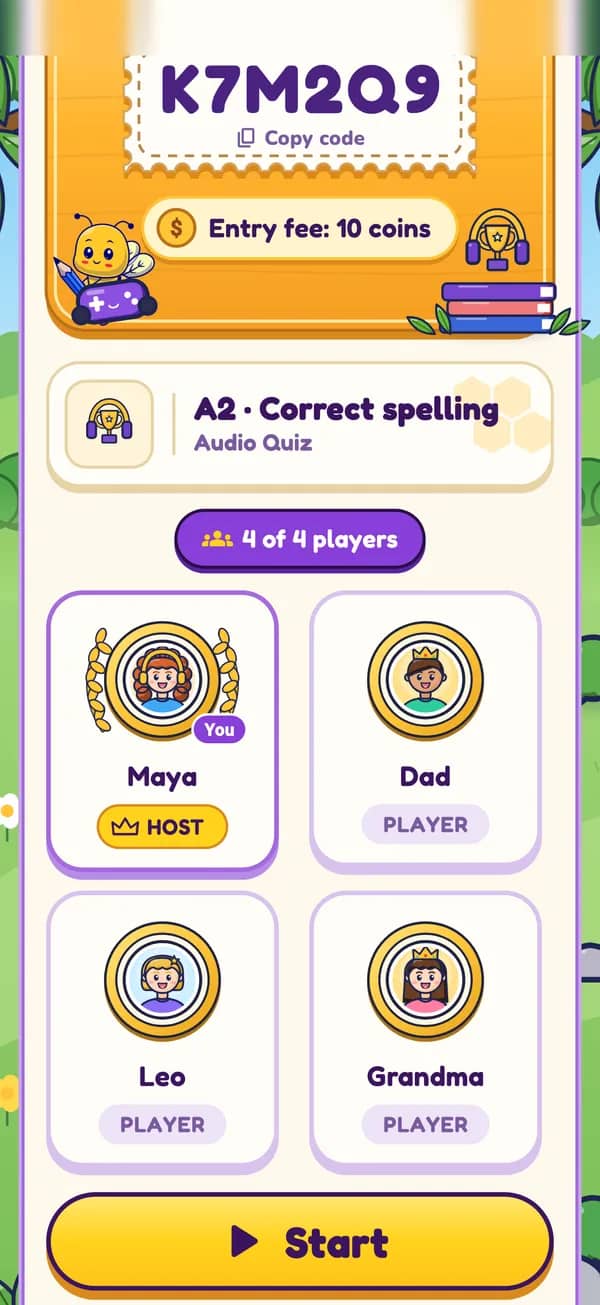
Audio Quiz · Play with Friends
Live group room · appA live listening room: hear each word and choose the correct spelling. The host picks a CEFR level and skill.
- Players
- 2–4 players, each on their own phone or tablet
- Practises
- Listening to a spoken word and recognising its correct spelling.
- In class
- ESL groups at the same level; a listening station in a rotation.
- Time
- About 5–6 min per game
- Ages
- 8+ (every player needs a Spelling Better account)
Screenshot with sample players.
How to host an Audio Quiz room1v1 Battle · Play With Friend
Live 1v1 · appTwo students face the same questions in a private room joined with a code.
- Players
- 2 players
- Practises
- Head-to-head recall practice.
- In class
- Partner practice; early finishers.
- Time
- About 5 min
- Ages
- 8+ (account needed)
Games to project or play on devices
Pangram puzzles
Class challenge · browserSeven letters, one centre letter: find words and the pangram that uses all seven. 60 puzzles at five levels.
- Players
- Any
- Practises
- Word building and vocabulary.
- In class
- A projected warm-up, or teams compete for points.
- Time
- 10–15 min
- Ages
- 8+
Honey Ladder
Board game for the class · browserChange one letter at a time to climb from one word to another. 90 puzzles at three levels.
- Players
- Any
- Practises
- Attention to every letter; vocabulary.
- In class
- Project a puzzle and solve it together, or pairs race on their own devices.
- Time
- 5–10 min
- Ages
- 7–14
Spell It!
Timed game · browserSixty seconds: hear a word, spell it, build a streak. Words for every grade.
- Players
- Any
- Practises
- Fast spelling from hearing.
- In class
- Team relay on the board, or individual practice.
- Time
- 1–10 min
- Ages
- 6–14
How to host your first classroom game
Whole class: a spelling bee in your browser
- Open the Spelling Bee Host on the classroom computer or projector.
- Type your spellers’ names, or just number them. Names stay in your browser.
- Choose a word list by grade or paste your own, and an American or British voice.
- Press Say the word. The speller spells aloud; you mark Correct or Incorrect.
- The host tracks rounds, eliminations and the championship word, then shows the winner.
Small groups: a live room in the app
- Students install Spelling Better and sign in to their own accounts.
- In each group, one student opens Arena, then Group Battle, then Create Room.
- They choose a category and the entry coins, then share the 6-digit code.
- The others tap Join Room and type the code (up to 4 players).
- The host taps Start; everyone answers the same 10 questions, and the results rank the group.
Full guide: group spelling games · student handout: how to join
Find the Perfect Word Game for Your Class
Leave any choice as “Any”. Every activity is also listed on the classroom word games page.
Browse by teaching goal
Improve spelling
Teach new vocabulary
Listen and spell
Review earlier lessons
Engage a large class
Prepare homework
Run a competition
Encourage independent learning
Built for different teaching environments
Primary schools
Five-minute warm-ups, weekly spelling tests from your own list, and a Friday class bee on the board with the Spelling Bee Host.
Secondary schools
Harder word lists, root-and-origin challenges, team vocabulary competitions and a house or year-group spelling bee.
ESL and EFL classrooms
Listening first: hear the word, then spell it. Audio Quiz rooms in the app let small groups play at a chosen CEFR level.
Language institutes
End-of-unit points bees, level-matched small-group rooms in the app, and monthly club competitions with printable scorecards.
Online tutoring
Share your screen: the Spelling Bee Host and the read-aloud test work in any video lesson, with no accounts for students.
Homeschooling
Graded word lists with meanings, a read-aloud test that keeps missed words, and games for siblings to play together.
After-school clubs
Team relays, word ladders and pangram challenges, plus app rooms for groups of up to four on their own devices.
School competitions
A complete planning guide, rules, score and judging sheets, certificates, and a host tool for class rounds.
Ready-to-use classroom activities
Lesson ideas you can run tomorrow. These are teaching suggestions: some use a free tool on this site, most need only a board.
- Five-minute spelling warm-up5–10 min · A quick, low-stakes start to any lesson: hear three to five words, spell them, check them together.
- Ten-minute pangram challenge15–30 min · Make as many words as possible from seven letters arranged in a honeycomb, and hunt for the pangram.
- English club vocabulary competition20–45 min · A four-round team quiz on meanings, spelling, synonyms and odd-one-out for clubs and older classes.
- End-of-lesson spelling review5–10 min · Three words and one sentence on a slip of paper before students leave, to see what stuck today.
- Partner word challenge10–20 min · Partners quiz each other from the same list, then swap roles and coach the words that were missed.
- Friday classroom spelling bee15–25 min · A weekly team review of this week's own list, read aloud by the free spelling test generator.
- Team spelling relay10–25 min · Teams take turns at the board, each player adding the next letter until the word is complete.
All 16: classroom word games. Printables: free teacher resources. Planning an event: how to organise a school spelling bee.
Why teachers use word games
Active recall
Retrieving a spelling from memory, rather than re-reading it, gives students real practice.
Spelling and listening together
Hearing a word and spelling it joins sound, letters and meaning.
Everyone takes part
Teams, pairs and points rounds give every student a turn, not just the fastest hands.
Working together
Teams agree on a spelling and explain their reasons to each other.
Different levels, one activity
Give each group a word list at its level while the whole class plays the same game.
Friendly competition and confidence
Short, low-stakes rounds make speaking up easier, especially for English learners.
Teacher FAQ
Are the teacher tools really free?
Yes. The worksheet generators, puzzles, flashcards, quizzes and printables on this site are free to use and print, with no sign-up and no limit.
How do I print or save a worksheet as a PDF?
Press Print or save as PDF, then choose Save as PDF in the print window. Paper size (A4 or US Letter) and margins are set for you, and the answer key starts on a new page.
Do the worksheets come with answer keys?
Every worksheet with right answers has an answer key on its own page. Open tasks, such as writing sentences, show an example answer instead.
Can I use my own word list?
Yes. Paste your words (add a meaning after a colon and a sentence after a second colon), open a .txt or .csv file, choose a grade spelling list, or start from one of 38 topic sets. Save word sets on your device and reuse them in every tool.
Can I use the worksheets in my school, language institute or tutoring?
Yes. You may print and photocopy the worksheets you make for your own classes, students, club or home school. Please don't sell them or republish them as a collection; contact us about any other use.
Do I or my students need an account?
No account is needed for any tool on this site. Students only need an account to play live group rooms in the Spelling Better app.
What happens to the words and names I type?
They stay in your browser. Word lists, saved worksheets and student names are kept on your device only and are not sent to us. We count page visits and button presses, never the words or names you type.
Can I host a spelling bee online for free?
Yes. The Spelling Bee Host on this site is free and runs in your browser: it says each word, gives the definition, sentence and origin, and tracks who is still in. Students spell aloud, in the room or over video. Nothing to install and no accounts.
How do I create a group spelling game?
In the Spelling Better app, open Arena, choose Group Battle (or Play with Friends for an Audio Quiz room), tap Create Room, choose a category or level and the entry coins, and share the 6-digit code.
How do my students join?
In the app, students tap Join Room and type the 6-digit code. There are no join links or QR codes. For the browser tools, students don't join at all: you run them on your screen.
Do students need an account?
For app group rooms, yes: Every player needs the app and a signed-in Spelling Better account (email, Google, phone, or Apple on iPhone and iPad). The browser tools need no accounts.
How many students can participate?
App rooms hold 2–4 players including the host, so split a class into small groups. The Spelling Bee Host handles up to 60 spellers on one screen.
Can I use Spelling Better in an ESL classroom?
Yes. Words can be read in an American or British device voice in the browser tools, and Audio Quiz rooms in the app let small groups play at a chosen CEFR level.
Can I host a game during an online lesson?
Yes, with the browser tools: share your screen and run the Spelling Bee Host, the spelling test or a projected game. App rooms also work remotely if every student has the app and an account.
Can schools use Spelling Better?
Yes. Teachers can use the free tools and resources today. For school-wide use, see Spelling Better for Schools and contact us.
Which games support group play?
In the app: Group Battle and Audio Quiz Play with Friends (2–4 players) and 1v1 Battle. On this site: the Spelling Bee Host and projected games such as Spell It!, Honey Ladder and pangram puzzles.
What is the difference between classroom use and school licensing?
Any teacher can use the browser tools and the app's group rooms today. There is no teacher dashboard or class account yet; schools interested in a wider arrangement can contact us through Spelling Better for Schools.
Privacy: the browser tools keep speller names and word lists on your device. Read our privacy policy and terms of use.
Keep Your Students Learning Beyond the Classroom
Use the free worksheets and games here in class. For practice at home, students can use the Spelling Better app on their own phone or tablet: spelling bee practice, listening quizzes, vocabulary quizzes and flashcards, at their own level.
Spelling Better is free to download for iPhone, iPad and Android. Group rooms use in-app coins. Premium is free for everyone until 31 December 2026.
Direct store links: App Store · Google Play
